
Spills happen to everyone, whether it’s a cup of tea knocked over at the kitchen table or a glass of water on a desk. Liquid and electricity don’t mix, but a laptop that’s dealt with quickly often survives. The key is to cut the power as fast as possible and resist the urge to check whether it still works.
What to do straight away
- Switch it off immediately. Hold the power button until it turns off, rather than shutting down through Windows.
- Unplug the charger and remove any USB devices, cables and memory cards.
- Remove the battery if your laptop has a removable one.
- Drain it. Open the laptop and stand it upside down in a tent shape, with the keyboard facing down, so liquid can run out.
- Blot, don’t wipe. Gently soak up what you can with a lint-free cloth or kitchen roll.
- Leave it switched off and get it checked as soon as you can.
What not to do
- Don’t switch it on to test it. Power is what turns a spill into a short circuit.
- Don’t charge it.
- Don’t use a hairdryer. Heat can damage components and push liquid further inside.
- Don’t rely on rice. It doesn’t draw out liquid trapped inside, and it leaves the sticky residue behind.
- Don’t shake it hard, as this spreads liquid across the motherboard.
Why spills cause damage even when the laptop seems fine
Even if your laptop works after drying out, residue left behind can cause corrosion over the following days and weeks. Sugar and milk leave a sticky film, and minerals in water conduct electricity. That’s why laptops sometimes fail a week or two after a spill, often with keyboard faults, charging problems or random shutdowns.
Not all drinks are equal
Plain water is the least damaging, though it can still cause short circuits. Tea and coffee with milk or sugar, fizzy drinks and juice are worse, because they leave sticky, corrosive residue. Whatever was spilled, the steps above are the same.
What a technician does
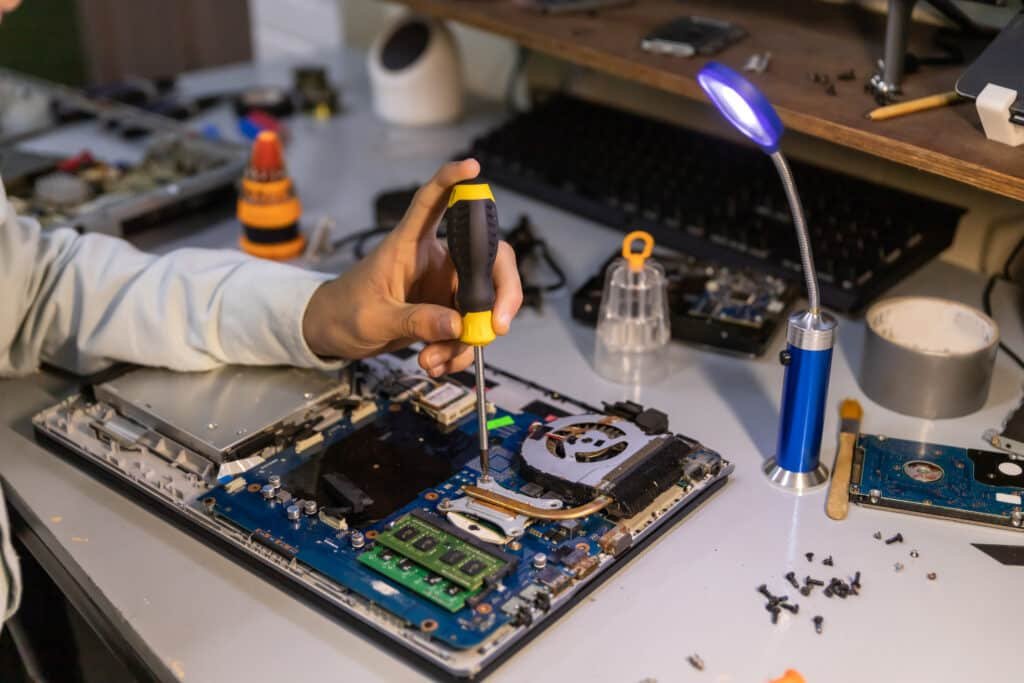
A proper liquid damage repair involves opening the laptop, cleaning the affected parts to remove residue and corrosion, drying everything thoroughly and testing each part. Damaged parts, often the keyboard, are replaced. If your files matter, we can make getting them off the drive the first priority, using our data recovery service.
Spills on a desktop PC or keyboard
For a desktop computer, switch it off at the wall and unplug it. If only the keyboard got wet, unplug it, turn it upside down to drain and leave it to dry for at least a day or two before trying it again. If any liquid reached the computer itself, leave it off and get it checked.
How long should I leave it?
Even when a laptop looks completely dry, liquid can stay trapped under the keyboard and around the motherboard for days. Switching on too early is one of the most common reasons a spill turns into an expensive repair, so the safest option is to have it opened and checked before you power it up again.
Insurance
If your home insurance includes accidental damage cover, your laptop may be covered. Check your policy, and ask us for a written repair quote to support your claim.
Find out more about our laptop repair service in Luton, or if your laptop won’t start after drying out, read My Laptop Won’t Turn On.
In short: switch off straight away, unplug everything, drain and blot the laptop, and don’t switch it back on to test it. The sooner the liquid and residue are cleaned out properly, the better the chance of a full recovery.
Need a hand? PC Masters offers a free diagnosis over the phone, a £59 same-day call-out across Luton, Dunstable, Houghton Regis, Harpenden and Leighton Buzzard, No Fix, No Fee, and a warranty from 1 month up to 36 months. Book online or call 0800 145 5521, Monday to Saturday, 9am to 8pm.
2 responses